Documentation
Built in Commands
Built in utility commands available in PixelScript.
PixelScript has a few built-in utility commands targeted at administrators and server managers. They don't let you do anything groundbreaking, but are useful for day-to-day server management and debugging.
Info /script info <file>
- Example:
/script info global/feature/playtime/lib/lib-playtime.js - Permission:
pixelscript.debug
This command takes the path to a script file (relative to the scripts/ directory) and prints out useful information about the script, including:
- Parent (the script that caused it to load)
- Extensions (special bindings and API's registered to the global scope by the platform)
- Profiler data (a breakdown of special tasks, and their average/min/max execution times)

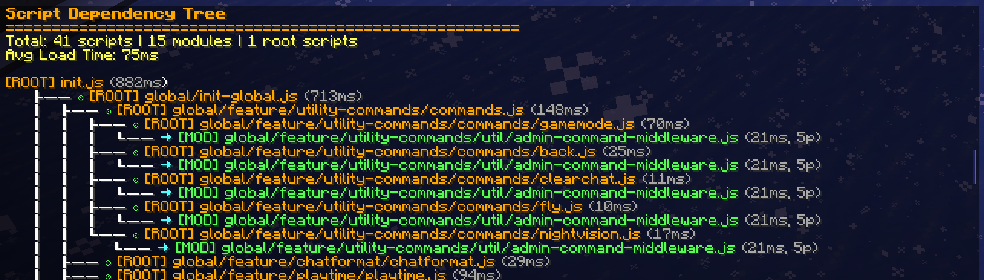
Script tree (/script tree)
- Permission:
pixelscript.debug
Print a full tree of all loaded scripts, their dependencies, parents and reasons for loading. Useful for debugging complex dependency issues.
This tree is generated asynchronously, so it might take a moment to appear in chat.
Registry debug (/script registrydebug)
- Permission:
pixelscript.debug
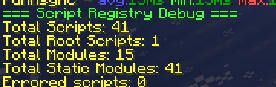
A semi-internal command useful for support when diagnosing resolver issues. (long deprecated, but who knows when it might be useful again)
Enable/disable timings (/script timmings <enable|disable>)
- Permission:
pixelscript.profiler.enableandpixelscript.profiler.disable - Example:
/script timings enable
Script timings are out-of-bound invocation timings registered for
- Scheduler invocations
- Event listener invocations
- Command invocations
Script.loadClassinvocations$.magic import resolutions
Timings are enabled by default because of their low overhead and high utility, but can be disabled to squeeze out that tiny bit more if needed.
When enabled, timings are visible in the script profiler output (see /script info <file>).
List loaded scripts (/script list)
- Permission:
pixelscript.listLists all currently loaded scripts, their status (loaded, error, unloaded), and their file paths.
Working with the PixelScript `.d.ts` type definition file to improve IDE support and type safety.
Working with java types for Java API's